
What Surfaces Can a Wall Printer Print On? A Suitability Guide
Learn which surfaces wall printers can print on, from plaster and concrete to glass, wood and tile, plus preparation and adhesion testing guidance.
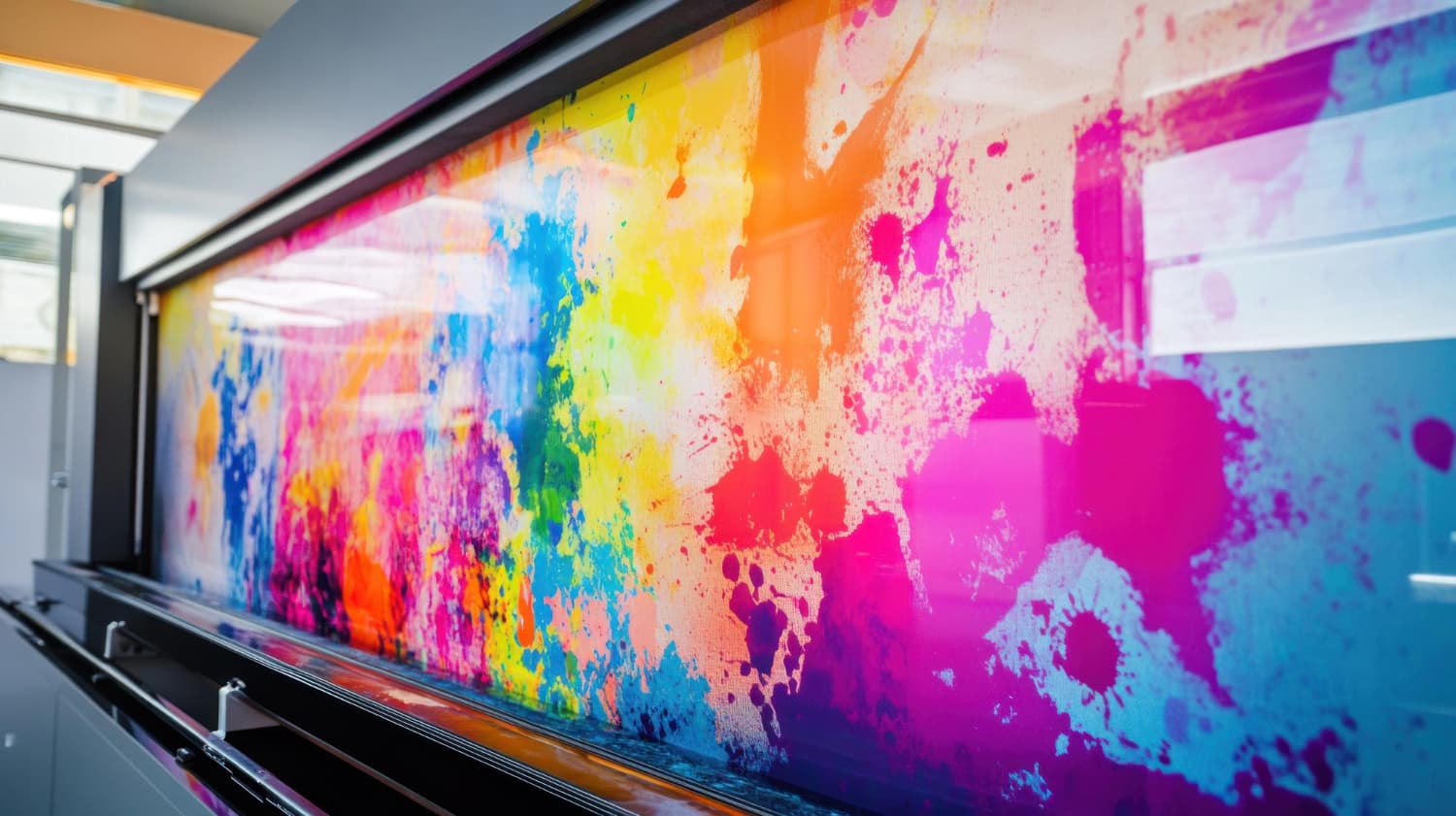
If you are asking what surfaces can wall printers print on, the short answer is: modern direct-to-wall printers can work on many prepared vertical surfaces, including plaster, painted walls, concrete, wood, brick, stone, glass, metal, and many types of tile.
But material type alone does not determine whether a wall is suitable.
Surface condition, cleanliness, texture, stability, coating type, ink adhesion, UV curing, and site conditions all matter. Some substrates can be printed directly, while others may need an adhesion test, primer, cleaning, or other preparation before the final artwork is approved.
Wallinks uses the WallPen E2 and lists concrete, glass, wood, tile, clinker, plaster, fabric, and other prepared surfaces among its applications.
For project-specific guidance, explore Wallinks’ direct-to-wall printing services in Saudi Arabia.
What Surfaces Can Wall Printers Print On?
Wall printers using UV ink can print on a wider variety of materials than standard paper-based printers because the ink is applied directly onto the substrate and cured during the printing process.
Common wall printer compatible surfaces include:
Painted plaster walls
Concrete
Wood and MDF
Brick and clinker
Natural and engineered stone
Glass
Ceramic and porcelain tile
Some metals
Some plastics
Wallpaper
Selected fabrics and acoustic panels
The WallPen manufacturer specifically lists plaster, wallpaper, wood, brick, latex-painted surfaces, stone, clinker, plastic, metal, glass, and most tiles among printable materials. However, its E2 manual also recommends testing each individual substrate before production because adhesion and curing can vary.
This distinction is important.
A material can be technically printable without every installation of that material being automatically suitable.
Wall Printer Compatible Surfaces at a Glance
SurfaceTypical suitabilityWhat should be checked first?Painted plasterOften suitablePaint stability, cleanliness, texture, moistureConcreteOften suitableDust, porosity, sealers, surface stabilityWood / MDFOften suitableFinish, coating, oil, dust, moistureBrick / clinkerProject dependentTexture depth, joints, cleanlinessGlassRequires additional assessmentCleaning, adhesion, pretreatmentCeramic / porcelain tileRequires testingGlaze, surface energy, adhesionMetalRequires testingCoating, grease, surface treatmentStoneOften possiblePorosity, texture, sealersWallpaperProject dependentAdhesion to wall, texture, coatingFabric / acoustic panelProject dependentMaterial type, absorbency, stability
This table should be treated as a screening guide, not final approval.
The final decision should follow a site assessment or representative sample test.
What Is the Best Surface for Wall Printing?
There is no single material that is always the best surface for wall printing.
In practical terms, the most straightforward substrate is usually one that is:
Stable
Dry
Clean
Securely attached
Relatively even
Free from grease and contamination
Compatible with UV ink
Accessible to the printer
Properly prepared
A smooth, stable painted plaster wall may therefore be easier to work with than a contaminated glass panel or highly textured stone surface.
But smoothness alone does not guarantee better adhesion.
A glossy, non-porous material may require more preparation than a stable painted wall.
The correct question is not simply:
“Is this material printable?”
It is:
“Is this specific surface, in its current condition, suitable for direct printing?”
Can a Wall Printer Print on Painted Walls?
Yes, many painted walls can be suitable for direct-to-wall printing.
The WallPen manufacturer reports good experience with conventional wall paints and latex paints. Its technical guidance, however, recommends inspecting the actual coating before printing.
Check the paint condition first
A painted wall should be reviewed for:
Flaking or peeling paint
Dust or chalking
Grease
Dampness
Recent repairs
Multiple incompatible coatings
Silicone-containing coatings
Uneven texture
The printer can only print onto the surface that exists.
If the underlying paint is unstable, good ink adhesion does not solve the instability of the paint layer itself.
For example, if old paint peels away from plaster, the print may leave with the paint.
Does the wall need primer?
Not every painted wall needs primer.
Primer should be considered when the actual substrate, coating, adhesion test, or manufacturer guidance indicates that pretreatment would improve printing reliability.
The WallPen E2 manual specifically notes that, depending on the substrate and test result, adjusting the UV process or using a primer may be appropriate.
That decision should be made after assessment rather than added automatically to every project.
Can Wall Printers Print on Concrete?
Concrete is one of the materials Wallinks identifies as a compatible surface, including bare, painted, or sealed concrete subject to project suitability.
The WallPen manual also identifies concrete among substrates on which the manufacturer has had positive direct-printing experience.
Concrete still needs preparation
Before printing, check for:
Construction dust
Loose particles
Cracks
Dampness
Sealers
Oils or release agents
Surface repairs
Extreme texture
A newly constructed concrete wall may look solid while still carrying dust or surface contaminants that interfere with adhesion.
A sealed decorative concrete wall may behave differently from untreated concrete.
Therefore, “concrete” should not be treated as a single universal substrate condition.
Can You Print Directly on Plaster?
Yes. Plaster is one of the most common surfaces for direct wall printing.
Wallinks lists both smooth and textured plaster among its compatible applications.
Smooth plaster
Smooth plaster generally provides a predictable geometry for fine artwork, typography, portraits, and designs containing small details.
The surface should still be dry, structurally sound, and properly finished.
Textured plaster
Textured plaster can also be printable, but the texture becomes part of the finished image.
Fine details may appear different across deep texture than they would on a smooth surface.
The WallPen FAQ states that textured plaster and other uneven materials can be printable, while its more detailed manual warns that excessive depressions can affect UV curing.
For heavily textured walls, request a sample approval before committing to a detailed design.
Can a Wall Printer Print on Wood and MDF?
Yes. Wood is listed by both Wallinks and WallPen as a printable substrate. Wallinks specifically references treated timber and MDF.
Wood projects may include:
Decorative panels
Reception features
MDF wall cladding
Display structures
Interior partitions
Custom furniture panels
What should be checked?
Inspect:
Surface coating
Varnish
Oil or wax
Dust
Grain
Moisture
Panel stability
Joint movement
Untreated timber, painted MDF, laminated board, and varnished wood are not identical surfaces.
Each finish can influence direct printing surface suitability.
Can Wall Printers Print on Glass?
Yes, but glass needs more attention than many conventional wall surfaces.
Wallinks lists interior glass panels and partitions as suitable applications.
However, the WallPen E2 documentation specifically discusses pretreatment for glass and other smooth, non-absorbent substrates to improve UV ink adhesion.
Why is glass different?
Glass is:
Smooth
Non-porous
Low in mechanical texture
Sensitive to grease and fingerprints
Dependent on proper surface cleaning and adhesion
A design may print visually well on glass while still requiring an adhesion test to establish whether the ink bond is suitable for the intended use.
For glass projects, sample testing and manufacturer-approved preparation are particularly important.
Can Wall Printers Print on Tile?
Wallinks lists ceramic, porcelain, and stone tile among its available surface applications.
WallPen also identifies most tile types as printable, but its manual advises caution with ceramic surfaces and recommends a test print where suitability is uncertain.
Glazed tile versus porous tile
A matte stone tile and a glossy glazed porcelain tile have very different surface characteristics.
Highly glazed tile may require:
Thorough degreasing
Adhesion testing
Pretreatment
Primer or another approved adhesion method
The grout lines also become part of the image.
If the artwork contains a face, logo, or fine text, position the design so important details do not fall awkwardly across deep joints.
Can Wall Printers Print on Brick and Clinker?
Yes. Wallinks lists exposed brick and clinker among compatible applications.
Brick creates a distinct visual effect because the material’s joints and texture remain visible underneath the printed image.
That can work particularly well for:
Restaurants
Cafes
Retail interiors
Heritage-inspired concepts
Industrial-style offices
Hospitality environments
Texture changes the finished appearance
Direct wall printing does not flatten the wall.
The design follows the substrate.
A photograph printed on smooth plaster and the same photograph printed across deep brick joints will not look identical.
That is not necessarily a disadvantage—it is simply a design consideration.
Use mock-ups and sample approval where texture is visually important.
Can a Wall Printer Print on Stone?
Natural and engineered stone may be printable, depending on the finish and condition.
WallPen identifies stone as one of its supported material categories and notes that textured natural stone can often be printed where surface geometry remains within appropriate limits.
Before printing, assess:
Porosity
Sealers
Texture
Dust
Stone treatment
Moisture
Surface contamination
Polished stone should not be assumed to behave the same way as rough natural stone.
Can Wall Printers Print on Metal?
Metal is technically possible, but it belongs in the test-first category.
WallPen lists metal as a printable material while its E2 manual specifically recommends caution and suitability testing on metal surfaces.
Potential variables include:
Powder coating
Paint
Bare metal
Oil residues
Protective films
Surface treatments
Gloss level
An adhesion test is a sensible part of project approval before a large metal installation is printed.
Can Wall Printers Print on Fabric?
Wallinks lists canvas, stretched fabric, and selected acoustic panels among its surface applications.
Fabric suitability can vary substantially.
Check:
Fibre type
Tension
Movement
Absorbency
Coating
Surface texture
Intended use
Flexible or moving fabric is very different from a rigid, tensioned acoustic panel.
Do not assume that because one fabric works, all textiles will behave the same way.
Why Surface Condition Matters More Than the Material Name
The material tells you what the surface is.
The surface condition tells you whether it is ready to print.
A high-quality concrete surface can be a better substrate than poorly prepared plaster. A properly treated glass panel can outperform contaminated painted drywall.
Before printing, look for:
Dust
Dirt
Grease
Fingerprints
Adhesive residue
Moisture
Peeling paint
Loose plaster
Cracks
Silicone contamination
Uneven repairs
Unstable coatings
The WallPen E2 manual specifically advises checking substrates for contamination, adhesive residue, varying coatings, and other surface conditions before production.
What Is an Adhesion Test?
An adhesion test checks whether the UV ink properly bonds to the intended substrate under relevant project conditions.
For unusual or uncertain surfaces, a small representative print can be produced before the full project begins.
The test can help evaluate:
Ink adhesion
UV curing
Colour appearance
Surface interaction
Texture reproduction
Pretreatment requirements
WallPen’s technical documentation recommends sample printing where suitability is uncertain and advises checking whether the UV ink has cured and bonded correctly before proceeding.
Use the actual material where possible
For the most useful test, use:
The same material
The same coating
Similar site conditions
The intended preparation method
Testing one ceramic tile does not necessarily approve every type of tile.
When Is Primer Needed for Wall Printing?
Primer is not an automatic requirement for every surface.
Its purpose may be to improve the interaction between UV ink and a difficult substrate.
It may be considered for surfaces where:
Ink adhesion is uncertain
The material is very smooth
The surface has low surface energy
Previous testing shows weak adhesion
Manufacturer documentation recommends pretreatment
Glass, some ceramic coatings, certain metals, plastics, and specialty finishes may deserve additional testing.
Do not apply random primers without confirming compatibility with both the substrate and the printing process.
Wall Printing Substrate Checklist
Before approving any wall-printing project, use this checklist.
Surface condition
Is the substrate structurally stable?
Is the existing paint firmly attached?
Are there cracks or loose areas?
Is the wall dry?
Is the surface clean?
Surface chemistry
Is there grease or oil?
Is silicone present?
Has the surface been sealed?
Is there adhesive residue?
Has a specialty coating been used?
Surface geometry
Is the wall excessively uneven?
Are there deep joints?
Is there strong texture?
Can the printer maintain suitable working distance?
Project conditions
Is the printer able to access the wall?
Is the floor suitable for equipment movement?
Are furniture and obstructions cleared?
Is the proposed print area reachable?
Approval
Is an adhesion test required?
Is primer or pretreatment needed?
Has the customer approved a representative sample?
Has the final substrate condition been documented?
That is a more reliable wall printing substrate checklist than choosing a surface based only on its material name.
Direct Printing Surface Suitability: Green, Yellow, and Red Flags
Green flags
A surface is easier to assess when it is:
Clean
Dry
Stable
Securely coated
Accessible
Consistent in finish
Free from contamination
Yellow flags
Additional assessment may be needed for:
Glass
Glazed tile
Metal
Highly sealed surfaces
Deep textures
Mixed coatings
Unknown paints
Specialty panels
Red flags
Do not proceed without correcting or professionally assessing conditions such as:
Active moisture
Peeling paint
Loose plaster
Crumbling material
Heavy grease
Unstable panels
Significant contamination
A wall printer cannot compensate for a substrate that is physically failing.
How Surface Texture Affects the Design
Surface suitability is not only about adhesion.
It also affects appearance.
Fine linework, small text, faces, detailed typography, and geometric patterns generally show texture more noticeably than loose abstract designs.
For heavily textured surfaces:
Increase important text size
Avoid placing faces across deep joints
Simplify very fine linework
Review the design at actual scale
Request a representative sample where practical
If your artwork needs adapting, Wallinks offers custom wall design for direct printing.
You can also review examples in the Wallinks wall printing gallery before defining your project brief.
Why Site Assessment Matters
A photograph is useful, but it cannot always reveal:
Paint adhesion
Moisture
Surface coatings
Actual texture depth
Working clearance
Floor variation
Hidden contamination
Wallinks’ published process starts with consultation and assessment before artwork approval and printing.
See the full Wallinks wall printing process to understand how consultation, design approval, and on-site printing fit together.
Frequently Asked Questions
1. What surfaces can wall printers print on?
Wall printers can work on many prepared substrates, including plaster, painted walls, concrete, wood, brick, stone, glass, tile, metal, wallpaper, and selected other materials. Actual suitability should still be confirmed through surface assessment and, where necessary, test printing.
2. What is the best surface for wall printing?
There is no universal best material. A clean, dry, stable, properly prepared surface with reliable ink adhesion is generally preferable. Smooth painted plaster is often straightforward, while glass, glazed tile, and metal may need additional testing or preparation.
3. Do all wall printer compatible surfaces need primer?
No. Many surfaces can be printed without primer. Primer or other pretreatment may be appropriate when adhesion testing or manufacturer guidance indicates that the substrate requires additional preparation.
4. Why is an adhesion test important for direct printing surface suitability?
An adhesion test helps determine whether UV ink cures and bonds properly to the actual substrate. It is particularly useful for glass, ceramic surfaces, metals, specialty coatings, and unfamiliar materials.
5. Can a wall printer print over a damaged wall?
Printing should not be used to solve structural or surface failure. Peeling paint, loose plaster, moisture, contamination, and unstable material should be addressed before the wall is considered ready for printing.
Conclusion
So, what surfaces can wall printers print on?
Direct-to-wall printing can be used on a broad range of materials, including plaster, painted walls, concrete, wood, brick, stone, glass, tile, metal, wallpaper, and selected fabric applications.
But the material name is only the starting point.
The best printing surface is one that is clean, dry, stable, accessible, correctly prepared, and proven to provide suitable UV ink adhesion and curing. For glass, ceramic, metal, unusual coatings, or unfamiliar materials, testing and sample approval are especially important.
If you have a surface in mind, do not guess whether it will work.
Request a Wallinks wall printing assessment and quote and send photographs, dimensions, location, and details of your wall material so the team can assess your project before printing.