
How Does Direct-to-Wall Printing Work? From File to Finished Wall
Learn how direct-to-wall printing works, from digital artwork and wall preparation to vertical printing, UV curing and the finished wall.
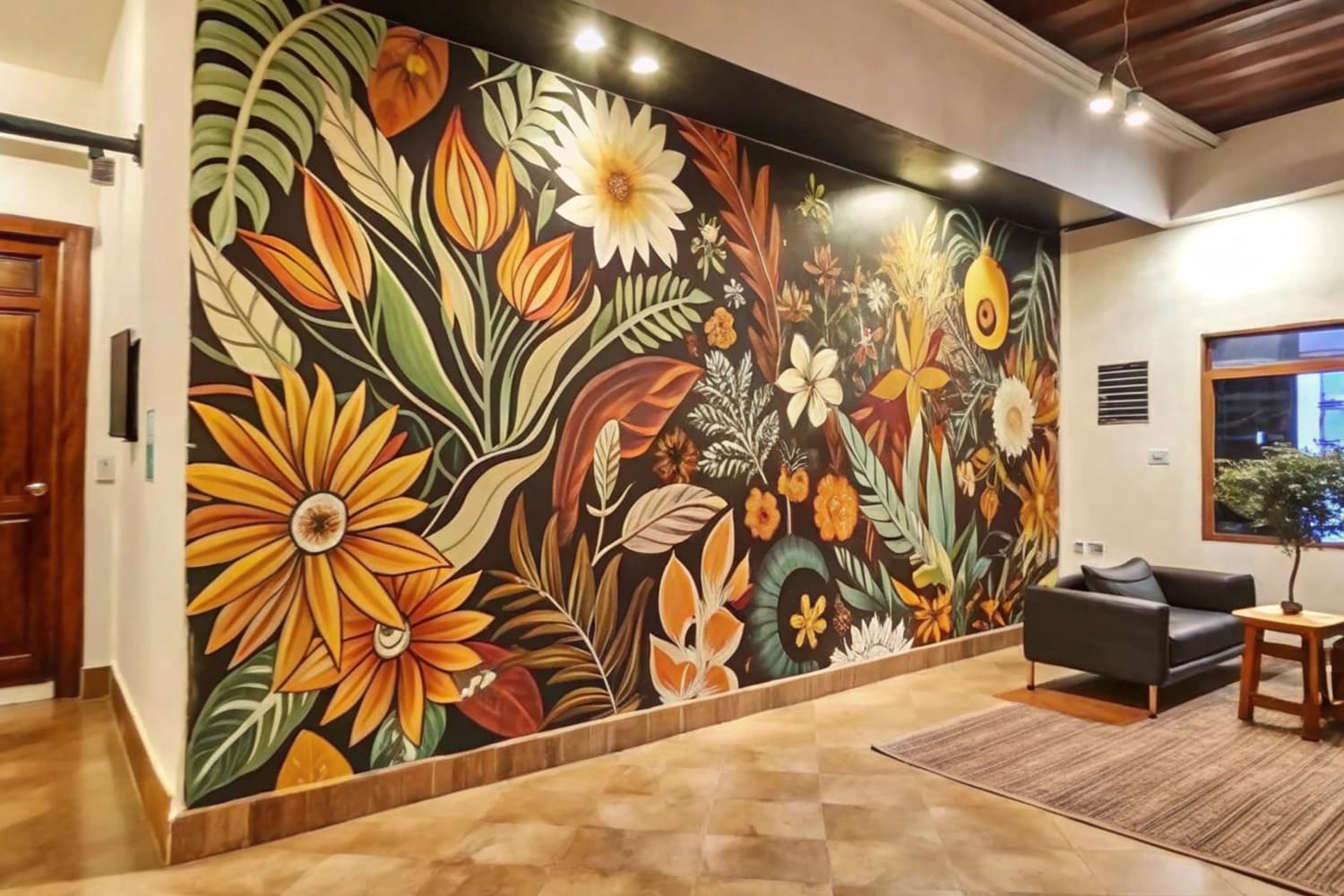
If you are wondering how does direct to wall printing work, the short answer is simple: a digital design is prepared for a specific wall, loaded into a vertical wall printer, and printed directly onto the surface using controlled inkjet technology. The printer moves along the wall while the printhead travels on a vertical axis, depositing UV ink in precise passes. UV LED light then cures the ink during the printing process.
Unlike wallpaper, vinyl graphics, or printed panels, there is no separate sheet that needs to be attached to the wall.
At Wallinks, the process starts before the machine reaches the site. The wall, artwork, measurements, substrate, and installation conditions all need to be reviewed first.
You can see the complete direct wall printing process in Saudi Arabia before planning your project.
How Does Direct-to-Wall Printing Work?
Direct-to-wall printing converts a digital artwork file into a large-format image printed directly onto a vertical surface.
A typical workflow involves:
Project consultation and wall assessment
Digital artwork preparation
Artwork sizing and approval
Site and substrate assessment
Wall printer setup and alignment
Digital printing in controlled vertical passes
UV curing during printing
Operator inspection and final handover
The machine does not simply copy an image onto any wall automatically. Good results depend on the artwork, surface, machine setup, site conditions, and operator review working together.
Wallinks uses the WallPen E2 direct-to-wall printing system. The manufacturer describes the machine as using Drop-on-Demand inkjet printheads with CMYK, or CMYK plus optional white, while the machine travels along the wall and uses sensors to manage its position relative to the surface.
Direct Wall Printing Steps: From Digital File to Finished Surface
Step 1: The project starts with the wall, not the printer
Before artwork is prepared, the operator needs to understand the physical space.
This may include reviewing:
Wall width and height
Intended artwork dimensions
Surface material
Texture and wall condition
Furniture or fixed obstructions
Floor condition
Access to the printing area
Electrical access
Desired viewing distance
Intended use of the room
This is the substrate assessment and project-planning stage.
A smooth painted wall, textured plaster surface, glass partition, wood panel, or tile may behave differently during printing. That is why wall suitability should be confirmed for the actual project rather than assumed from photographs alone.
Wallinks lists prepared surfaces including concrete, glass, wood, tile, clinker, plaster, and selected fabric applications among the surfaces its system can work with.
For commercial, hospitality, residential, and other use cases, review the available direct-to-wall printing services.
Step 2: Digital artwork is selected or created
The printer needs a digital file that can be prepared at the correct size and proportions.
The design may come from:
Artwork supplied by the customer
A company logo or brand graphic
A licensed illustration
Photography
Arabic typography
Geometric artwork
A custom composition
Artwork commissioned specifically for the wall
Wallinks allows customers to supply their own design, select existing artwork, or develop a personalized concept.
If you do not already have print-ready artwork, the custom wall design service can be used to develop a design around the dimensions and character of the space.
Step 3: The artwork is prepared for the wall
A digital image cannot always be printed effectively simply because it looks good on a laptop screen.
The artwork needs to be reviewed for factors such as:
Image dimensions
Aspect ratio
Resolution
Cropping
Positioning
Typography
Logo proportions
Colour preparation
Background treatment
Placement around architectural elements
For example, a wide panoramic illustration may work well on a restaurant feature wall but may need substantial repositioning for a narrow reception wall.
The artwork should therefore be adapted to the actual printable area, rather than forcing the wall to match the original image format.
Step 4: The customer approves the final artwork
Before printing, the customer should know what will appear on the wall and approximately where it will sit.
Wallinks’ published process places artwork approval before the printing appointment is booked.
This is important because once production starts, changes to composition, spelling, logo placement, or image scale are more complicated than adjusting the file beforehand.
An approved artwork file should therefore confirm:
Final design
Correct wording and spelling
Intended size
Position on the wall
Crop and proportions
Brand or logo treatment where applicable
For Arabic typography or calligraphy, wording and letterforms should also be checked carefully before final approval.
How Wall Printers Work Mechanically
A wall printer combines large-format inkjet printing with controlled movement along a vertical surface.
The WallPen E2 uses separate Drop-on-Demand printheads and moves along the surface on a guided wheeled platform. Laser-based sensing helps the system account for variations between the printer and the surface.
The horizontal movement
The printer base travels parallel to the wall.
Rather than feeding paper through a stationary printer, the machine itself moves across the physical printing area.
This enables artwork to extend horizontally across a large wall without assembling multiple wallpaper sheets.
The vertical axis
The printhead travels vertically on the printer's upright axis.
This is why the process is often described as vertical printing.
As the machine moves horizontally and the printhead moves vertically, software coordinates both movements to reproduce the digital artwork across the required area.
The printheads
The WallPen manufacturer describes the E2 as using separate Drop-on-Demand inkjet printheads for CMYK colours, with optional white capability.
CMYK refers to:
Cyan
Magenta
Yellow
Black
These colours are combined in controlled amounts to reproduce the colours contained in the digital image.
White ink may be relevant for certain darker or transparent substrates, depending on the required application and printer configuration.
What Role Does UV Ink Play?
UV ink is central to this type of digital wall printing technology.
Instead of relying on a long conventional drying period, the machine uses ultraviolet light to cure the ink during printing.
WallPen describes its E2 system as using UV ink with integrated UV LED curing, while its technical documentation allows the operator to control UV lamp intensity to ensure that the ink cures appropriately for the job.
What does UV curing mean?
UV curing is the process of exposing specially formulated ink to ultraviolet light so that it hardens rapidly after application.
In practical terms, the sequence is:
Printhead deposits ink → UV LED exposes the fresh ink → ink cures → printer continues to the next area.
This is one reason direct wall printing can be handed over without waiting for wallpaper adhesive or conventional wet paint to dry.
However, curing settings, substrate behaviour, reflective surfaces, and machine configuration are technical matters that should remain under trained operator control.
How Does the Printer Know Where to Print?
The machine does not independently decide what looks good on a wall.
The operator defines the printing job.
Before printing begins, the operator reviews the artwork, print dimensions, starting position, wall conditions, and machine alignment.
The printer software then converts the prepared artwork into instructions the machine can reproduce through controlled printhead passes.
The WallPen manufacturer states that its system uses laser sensors to monitor its relationship with the wall and compensate for surface variation during movement.
This does not mean surface condition becomes irrelevant.
Cracks, unstable coatings, excessive texture, moisture, obstructions, or unsuitable preparation can still affect whether a wall is ready for printing.
What Happens on Installation Day?
A professional installation should begin with another site review before ink is applied.
The operator may confirm:
The approved artwork
Wall dimensions
Surface cleanliness and dryness
Print position
Equipment clearance
Floor condition
Access restrictions
Nearby furniture or fixtures
Site safety
The printer is then positioned and calibrated for the wall.
Wallinks states that the WallPen E2 is brought to the site and that most wall-printing projects are completed during the same on-site session, although actual timing depends on the project. See how Wallinks wall printing works.
How Long Does Direct-to-Wall Printing Take?
There is no single printing time that applies to every mural.
The total duration can depend on:
Artwork size
Print quality settings
Image complexity
Surface
Site access
Wall preparation
Equipment setup
Operator checks
The WallPen manufacturer states that actual printing speed varies according to selected quality and resolution.
Wallinks states that most walls are completed the same day, but customers should distinguish between actual printing time and the full project timeline.
The full project can also include consultation, artwork development, revisions, approval, surface preparation, scheduling, and site setup.
What Surfaces Can a Wall Printer Print On?
The technology can work with more than standard painted plaster walls, but each substrate should be assessed before installation.
Wallinks lists applications on:
Concrete
Glass
Wood and MDF
Ceramic, porcelain, and stone tile
Brick and clinker
Smooth or textured plaster
Selected fabric and acoustic-panel applications
The WallPen manufacturer similarly lists plaster, wallpaper, wood, brick, stone, plastic, metal, glass, and tile among compatible substrates, while noting that substrate characteristics still matter.
The important question is therefore not simply:
“Can a wall printer print on this material?”
It should be:
“Is this particular surface properly prepared and suitable for this specific artwork and installation?”
Direct-to-Wall Printing vs Wallpaper
Both can create large-scale decorative walls, but the installation methods are different.
Direct-to-Wall PrintingWallpaperArtwork is printed directly onto the substrateDesign is printed or manufactured on separate materialNo wallpaper sheets are installedMaterial is applied in sheets or panelsNo wallpaper seams between printed panelsJoins may be present between panelsDigital artwork can be sized for the specific wallPattern or mural must be matched to wall dimensionsUV ink is cured during printingInstallation typically involves adhesive or another fixing methodSurface still requires suitability assessmentSurface preparation is also important
Neither solution is automatically right for every project.
Wallpaper may be appropriate when a client specifically wants a particular textured material or removable wallcovering system.
Direct-to-wall printing is particularly relevant when the goal is to place customized digital artwork directly onto an existing prepared surface without installing a separate decorative sheet.
What Are the Main Benefits of Direct Wall Printing?
Highly customizable artwork
The design originates digitally, making it suitable for photographs, illustrations, brand graphics, patterns, typography, and custom compositions.
No wallpaper panel layout
Because the artwork is printed onto the surface, the design does not depend on joining wallpaper sheets across the image.
Suitable for residential and commercial concepts
Wall printing can be considered for villas, bedrooms, majlis spaces, offices, restaurants, hotels, retail interiors, clinics, gyms, and other spaces.
Wallinks provides custom wall printing for residential and commercial spaces across Saudi Arabia.
Digital control before printing
Scale, composition, cropping, and placement can be reviewed before production begins.
That makes operator review and client approval an important part of the process rather than an optional extra.
What Are the Limitations?
A useful explanation of how wall printers work should also cover what the technology does not solve automatically.
The wall must still be assessed
Poorly prepared, damaged, unstable, or unsuitable surfaces may require corrective work before printing.
Artwork quality still matters
A low-quality source image does not become a high-quality mural simply because the printer can output at high resolution.
Physical obstructions affect placement
Sockets, doors, cabinetry, shelving, fixed furniture, ceilings, floor conditions, and limited equipment access may reduce the usable printing area.
Every project has site-specific constraints
Print height, working clearance, wall texture, location, artwork dimensions, and site access should be reviewed before a final commitment is made.
A Practical Example: Printing a Branded Office Reception Wall
Imagine a business in Riyadh wants its reception wall to display its logo, a geometric pattern, and a short brand statement.
The project may proceed as follows:
The wall is photographed and measured.
The surface and surrounding floor are assessed.
Original logo files and brand colours are supplied.
A wall-sized digital composition is created.
The customer reviews the mock-up.
The final artwork is approved.
The WallPen E2 is assembled and aligned at the site.
The print position is checked.
The machine prints the artwork in coordinated vertical passes.
UV light cures the ink during production.
The operator reviews the completed wall.
The client receives the finished installation.
The same fundamental workflow can be adapted for a villa mural, restaurant feature wall, hotel interior, clinic, or retail environment.
For visual references, explore the Wallinks wall printing gallery.
What Should You Ask Before Booking a Wall Printing Project?
Before selecting a provider, ask:
Will my wall be assessed before printing?
What surfaces can you print on?
What artwork file do you need?
Will I receive a design mock-up?
Who approves the final artwork?
How large is the actual printable area?
Does the quotation include design work?
Does it include wall preparation?
How long will on-site printing take?
What site access does the printer require?
What cleaning instructions apply afterward?
What happens if my wall needs repair first?
These questions help separate the technology from the overall service quality.
Frequently Asked Questions
1. How does direct to wall printing work without wallpaper?
The printer applies UV ink directly onto a prepared wall instead of printing artwork onto a wallpaper sheet first. Digital software controls the image while the machine and printhead move across vertical and horizontal axes.
2. How do wall printers work on uneven surfaces?
Systems such as the WallPen E2 use sensors to monitor the distance between the machine and wall. However, this does not mean every uneven surface is suitable. Significant texture, damaged finishes, or unstable substrates should be assessed before printing.
3. What is the vertical printing process?
Vertical printing uses an upright printing axis that allows the printhead to move up and down while the machine travels horizontally along the wall. Coordinating these movements enables the printer to recreate large digital artwork directly on the surface.
4. Does UV curing mean the wall needs no drying time?
UV ink is cured by UV LED light during printing rather than relying on conventional air drying. The WallPen manufacturer describes its ink as curing immediately under the integrated UV system. Project handover requirements should still be confirmed with the operator.
5. Can I provide my own digital artwork for direct wall printing?
Yes. Wallinks allows clients to provide their own artwork, select from available designs, or commission a personalized concept. The file should still undergo operator review for dimensions, proportions, print quality, and positioning before it becomes approved artwork.
Conclusion
So, how does direct to wall printing work?
A digital artwork is prepared for a specific wall, reviewed and approved, and then reproduced directly onto the surface by a vertical inkjet printer. The machine coordinates horizontal movement with a vertical print axis while UV ink is deposited and cured during printing.
The technology is only one part of a successful project. Artwork quality, substrate assessment, operator review, wall preparation, measurements, and site conditions are equally important.
Wallinks uses the WallPen E2 for custom direct-to-wall printing projects across Saudi Arabia and provides consultation, design preparation, printing, and project coordination.
Have a wall or artwork in mind? Request a Wallinks direct wall printing consultation and quote and share your wall dimensions, photographs, location, and design idea so the team can assess your project.
External Technical Reference
For further information about the equipment referenced in this article, see WallPen E2 vertical printing technology.